

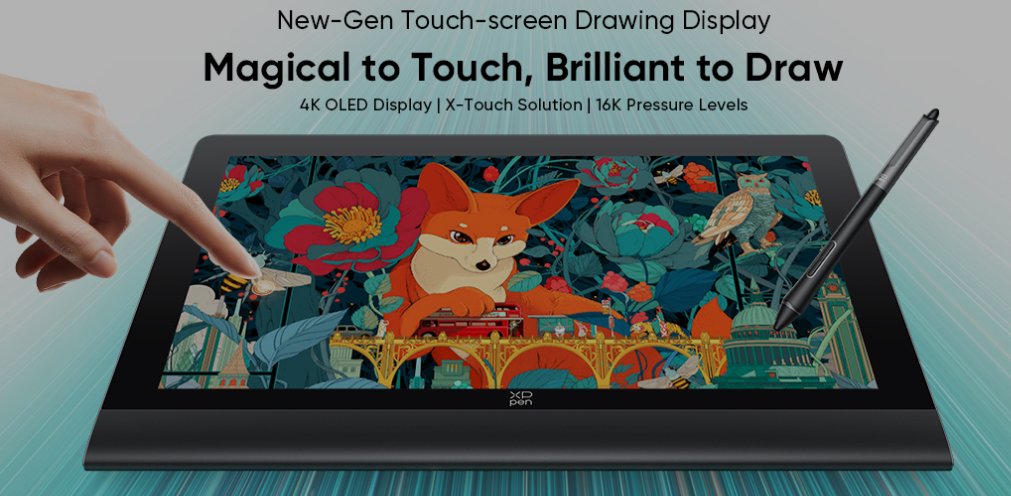
Choosing a professional drawing display can be challenging, especially when creators need to balance display quality, pen performance, portability, and workflow efficiency. The topic of Wacom Movink 13 vs Xppen Artist Ultra 14 has attracted attention from digital artists, designers, and creative professionals who are looking for a reliable device for illustration, animation, graphic design, and digital content creation.
A modern drawing display is no longer only a digital canvas. It needs to provide accurate colors, smooth pen response, comfortable operation, and flexible portability. This guide compares the key differences between these two types of professional drawing displays and explains what factors creators should consider before making a decision.
Wacom Movink 13 vs XPPen Artist Ultra 14: Display Comparison
OLED Display and Visual Performance
Display quality is an important factor when comparing Wacom Movink 13 vs XPPen Artist Ultra 14. For creators looking for the best drawing tablet, accurate colors, clear details, and smooth performance are essential. OLED technology provides deep contrast, vivid colors, and excellent image clarity, making it suitable for illustration, animation, photography, and graphic design.
The XPPen Artist Ultra 14 features a 14-inch 2.8K OLED display, native 10-bit color depth, 99% Adobe RGB coverage, and a 90Hz refresh rate for smooth visuals and accurate color presentation. When selecting a professional drawing display, creators should consider resolution, color accuracy, and refresh rate to improve their creative workflow.
When choosing the best drawing tablet, creators should consider important display factors such as:
· Resolution for detailed artwork
· Color gamut for accurate reproduction
· Refresh rate for smoother operation
· Display quality for long-term creative work
Wacom Movink 13 vs XPPen Artist Ultra 14: Full Specification Comparison
Before selecting a drawing display, creators should compare key specifications based on their creative needs. The following table highlights important differences between the two devices.
| Comparison Factor | Wacom Movink 13 | XPPen Artist Ultra 14 |
| Display Type | OLED Display | AMOLED OLED Display |
| Screen Size | 13.3 Inch | 14 Inch |
| Resolution | 1920 × 1080 Pixels | 2880 × 1800 Pixels (2.8K) |
| Aspect Ratio | 16:9 | 16:10 |
| Refresh Rate | Not specified | 90Hz |
| Color Coverage | 100% DCI-P3, 95% Adobe RGB | 99% Adobe RGB, 99% sRGB, 99% Display P3 |
| Color Depth | 10-bit color | Native 10-bit color |
| Brightness | 350 nits | 350 nits |
| Touch Support | 10-point touch | 10-point touch |
| Stylus Technology | EMR Technology | Chip-powered & EMR Technology |
| Pressure Sensitivity | 8192 Levels | 16384 Levels |
| Stylus Support | Pro Pen 3 | Dual X3 Pro Series Stylus |
| Shortcut Control | Touch keys and buttons | X-Touch Solution + ACK05 Wireless Shortcut Remote |
| Design Focus | Lightweight OLED drawing display | Portable professional creative display |
The comparison of Wacom Movink 13 vs XPPen Artist Ultra 14 shows that both devices focus on professional creative workflows, but their features meet different user preferences. Creators should consider whether they prioritize lightweight portability or higher display performance and additional creative controls.
Wacom Movink 13 vs XPPen Artist Ultra 14: Pen Performance Comparison
Which Stylus Experience Supports Better Creativity?
Pen performance directly affects drawing accuracy and creative efficiency. A professional stylus should provide natural strokes, precise control, and smooth interaction between the artist and the digital canvas.
When evaluating Wacom Movink 13 vs XPPen Artist Ultra 14, important pen features include:
· Pressure sensitivity
· Stroke recognition
· Response speed
· Drawing comfort
The XPPen Artist Ultra 14 supports dual X3 Pro Series styluses with chip-powered and EMR technology. With up to 16,384 pressure levels, it allows creators to achieve delicate lines, detailed textures, and smooth shading. For illustrators, concept artists, and designers, accurate pen response can make digital drawing feel closer to traditional creative methods.
XPPen Artist Ultra 14: Professional Features for Digital Creation
The XPPen Artist Ultra 14 is designed for creators who need a portable professional drawing display. It combines a 14-inch 2.8K OLED display, accurate color performance, and advanced pen technology to support various creative applications. With a 6mm ultra-slim design and approximately 720g weight, the device is suitable for creators who need flexibility across different work environments. The X-Touch solution and ACK05 wireless shortcut remote also help improve workflow efficiency. The device supports professional applications including illustration creation, animation production, graphic design, photo retouching, and 3D rendering.
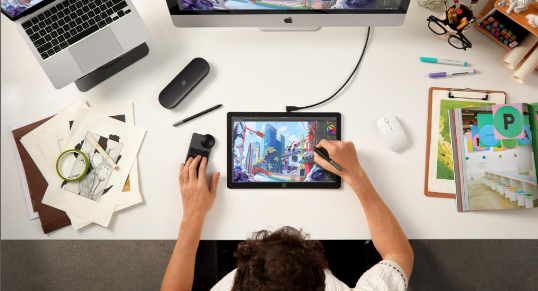
How Do Drawing Displays Improve Creative Workflow?
Illustration Creation
For illustrators, screen accuracy and pen precision directly influence the creative process. A professional drawing display helps artists control brush strokes, adjust details, and create natural artwork. Accurate colors and responsive stylus input allow creators to focus more on their ideas instead of equipment limitations.
Animation Creation
Animation requires detailed frame editing and consistent visual quality. A smooth display with accurate pen control helps animators improve efficiency when creating characters, backgrounds, and visual effects. A reliable drawing device supports precise adjustments, comfortable long sessions, and a smoother creative workflow.
Graphic Design and Photo Retouching
Graphic designers and photographers depend on accurate color performance. A display with wide color coverage helps ensure that images, layouts, and design projects maintain consistent visual results. Professional features such as OLED technology, high resolution, and color accuracy can improve editing efficiency.
3D Rendering and Digital Creation
3D artists require precise control when modeling, sculpting, and editing digital assets. A responsive drawing display provides better interaction between creative software and input devices. Portable professional displays also allow creators to work flexibly between different locations.
Wacom Movink 13 vs XPPen Artist Ultra 14: Portability Comparison
Portability is becoming increasingly important for modern creators. Artists often need devices that can support both studio work and mobile creation. In the Wacom Movink 13 vs XPPen Artist Ultra 14 comparison, portability should be evaluated through:
· Device thickness
· Weight
· Screen size
· Working comfort
A lightweight design makes transportation easier, while a larger display area can provide a more comfortable workspace for detailed projects. The XPPen Artist Ultra 14 offers a 14-inch working area with a slim 6mm body, providing a balance between portability and professional creative performance.
Who Should Choose a Professional Drawing Display?
Different creators have different requirements when selecting a drawing device.
l Professional Illustrators:
Artists creating digital paintings, concept designs, and illustrations benefit from accurate colors and precise pen control.
l Animation Artists:
Animators need smooth performance for character creation, frame editing, and visual effects.
l Graphic Designers:
Design professionals require high-resolution displays and consistent colors for branding, layouts, and digital projects.
l Photographers:
Photo editors benefit from accurate color reproduction when adjusting images and preparing professional content.
l Mobile Creators:
Creators who frequently work outside traditional studios need lightweight and portable drawing solutions.
Is OLED Important for Professional Drawing Displays?
When comparing Wacom Movink 13 vs XPPen Artist Ultra 14, OLED technology is an important consideration for professional users. For artists working on detailed creative projects, OLED technology can create a more immersive and accurate working environment.
OLED displays provide:
· Higher contrast levels
· Richer colors
· Better visual depth
· Faster response performance
Conclusion: Choosing Between Wacom Movink 13 and XPPen Artist Ultra 14
The Wacom Movink 13 vs XPPen Artist Ultra 14 comparison shows that choosing the right drawing display depends on more than price or basic specifications. Display quality, stylus performance, portability, and workflow features all influence the final decision. Creators should evaluate their main applications, whether illustration, animation, graphic design, photography, or 3D creation, before selecting a device.
For artists looking for a professional portable drawing display with OLED technology, accurate colors, advanced stylus performance, and flexible creative controls, exploring options such as the XPPen Artist Ultra 14 can help improve the overall digital creation experience.